Quickstart
Install App Translations, read in your application's messages, and serve the first edit to your application.
1. Install the package
dotnet add package TheBuilder.AppTranslationsStart the site. On the first start, the package creates its tables and opens its App Translations section to the user groups that can open Umbraco’s Translation section, Administrators and Translators on a new site.
2. Make your translation files reachable
Umbraco reads your application’s translation files over HTTP, one file per language. Serve them from your application, a CDN or any URL your Umbraco site can reach. A next-intl application’s messages/en-US.json might look like this:
{
  "navigation": { "home": "Home", "contact": "Contact" },
  "greeting": "Welcome, {name}!"
}
3. Add a source
In Umbraco, go to Settings > App translations and add a source. A source holds the URL of the files, the languages to read, and the message syntax your application uses.
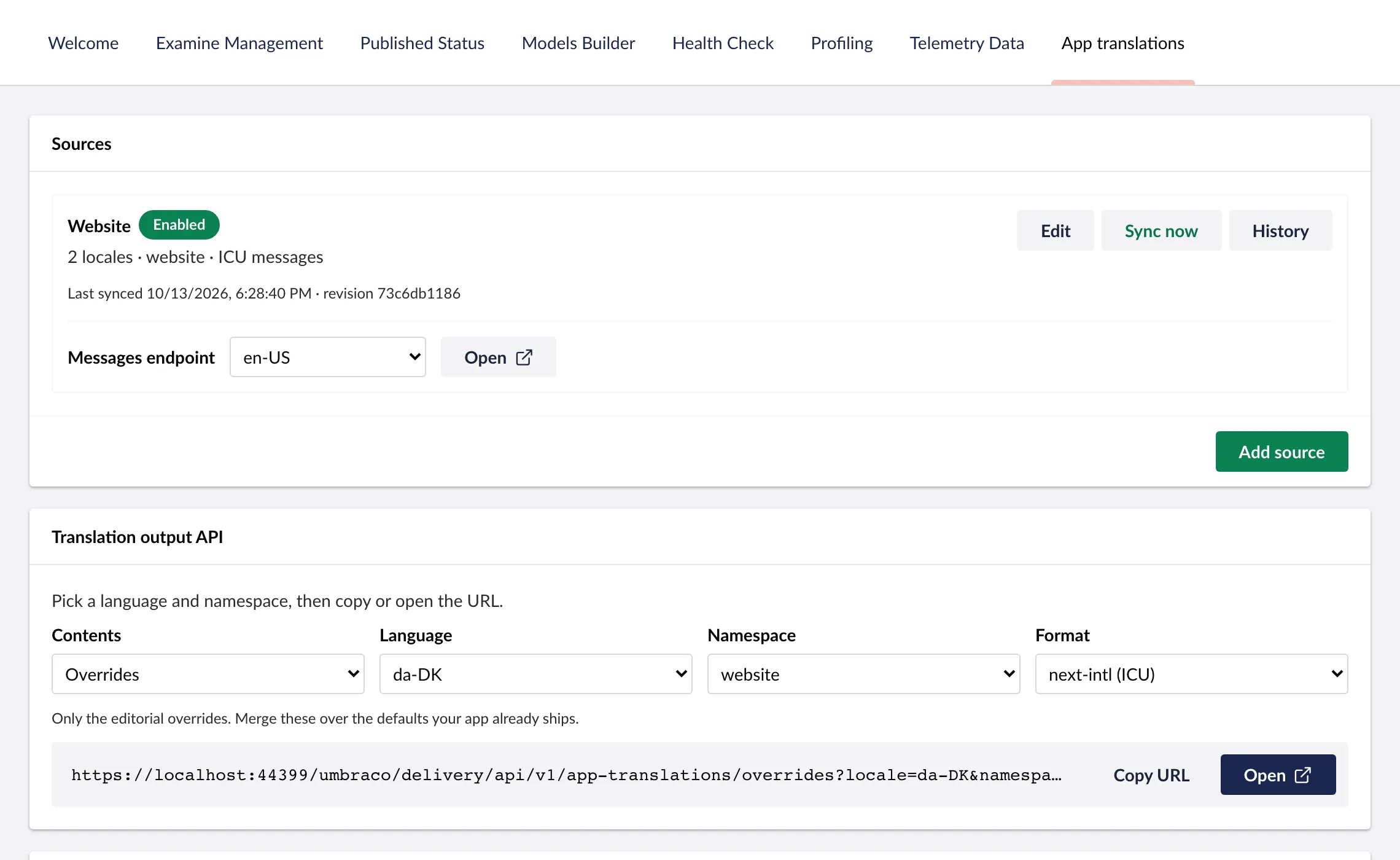
For the file above, served at https://app.example.com/messages/en-US.json and .../da-DK.json:
| Setting | Value |
|---|---|
| Messages endpoint | https://app.example.com/messages/{locale}.json |
| Site languages | English (United States) and Danish |
| Catalogue format | Nested JSON |
| Namespace handling | Use one namespace for every message, named website |
| Message syntax | ICU messages |
The messages arrive as website.navigation.home, website.greeting and so on.
- Test source fetches the files without saving anything.
- Sync now reads them in.
See Sources for the URL placeholders, namespaces and every setting.
4. Edit a message
Open the App Translations section, find a message, and write custom text for it. Save makes it live.
5. Use it in your application
Point your application at the delivery endpoint for a language and namespace, and merge the custom text over the messages it bundles:
GET /umbraco/delivery/api/v1/app-translations/overrides?locale=da-DK&namespace=websiteThe locale is Umbraco’s code, da-DK, even if your application calls it da. Delivery API has a complete next-intl and i18next example, and covers caching and keys.