Your files stay the source
Keys, default text, syntax and placeholders come from your application's own next-intl or i18next files. Umbraco reads them and stores only the edits.
Your application keeps its translation files. Umbraco reads them, editors change the messages that need changing, and your application lays those changes over its own text.
dotnet add package TheBuilder.AppTranslationsUmbraco CMS 17.1 or later · .NET 10
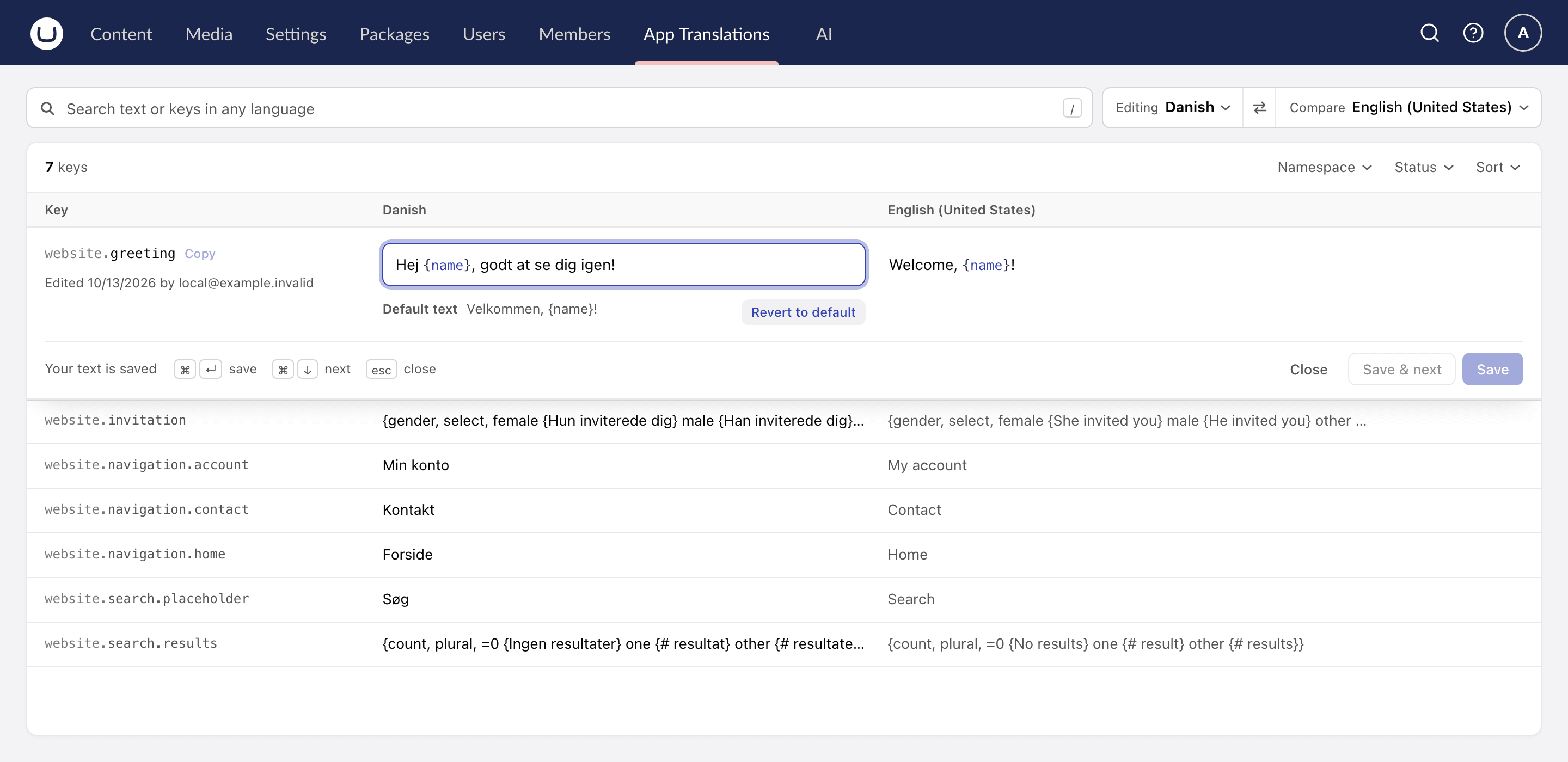
Umbraco never changes your files. It stores the edits next to them, and your application decides whether to merge them over its own text or ask for the complete dictionary.
For next-intl, i18next and FormatJS applications whose messages live in code, and editors who need to change them.
Keys, default text, syntax and placeholders come from your application's own next-intl or i18next files. Umbraco reads them and stores only the edits.
Every change is checked against the message's ICU or i18next syntax, so an editor cannot drop a placeholder or break a plural.
Your application fetches the custom text and lays it over its own. A webhook says when something changes, and ETags keep checking cheap.
A source points Umbraco at your translation files. Sync reads them in, editors write custom text, and the delivery endpoints serve it.
Add your first sourceFetch the custom text for a language and namespace and lay it over what your application bundles. Only what an editor changed comes back.
Read the API guideGET /umbraco/delivery/api/v1/app-translations/overrides?locale=da-DK&namespace=website{
"greeting": "Hej {name}, godt at se dig igen!"
}Install the package, point a source at your translation files, and edit a message in the App Translations section.
Read the quickstartFocused packages for modern Umbraco projects.

Generates a WebP, BlurHash or ThumbHash placeholder when an image is saved, ready for your frontend to show while the image loads.

Shows the traffic from Vercel Web Analytics or Plausible in the Umbraco backoffice, for the whole site and for each page.

Reads the C2PA Content Credentials on uploaded images and flags the ones that say they were made or edited with AI.

Lets frontends call the Delivery API and your own endpoints with an OIDC token from their hosting platform, instead of a shared API key.

Shows your Document Types as a city in the backoffice, with the links between them, and flags schema problems before they ship.

Renders the rich text JSON from the Umbraco Content Delivery API with React. You decide how each block and node is rendered.